
How to Vibecode a Shopify Store with Lovable
November 4, 2025
Building an eCommerce store used to take weeks of development, design iterations, and technical setup. With Lovable's Shopify integration, you can vibecode an entire online store from scratch using natural language—and have it ready to sell real products in hours.
This guide will show you exactly how to prompt Lovable to build a professional Shopify store, from initial setup to launch.
What is Vibecoding?
Vibecoding is building software by describing what you want in natural language. Instead of writing code line by line, you tell the AI your vision, and it creates a fully functional store with proper Shopify integration, payment processing, and inventory management.
Before You Start
A few important things to know about Lovable's Shopify integration:
Only for new stores: This integration creates new Shopify stores. You can't connect existing stores.
Free sandbox environment: Lovable creates a free sandbox store for development and testing—no Shopify costs until you're ready to launch.
Claiming your store: When you launch, you'll migrate the store to your Shopify account with a 30-day free trial. After that, you'll need a paid Shopify subscription.
Real payments: You'll need to complete Shopify's KYC (Know Your Customer) process to activate payments.
Step 1: Create Your Store with the Right Prompt
Start by creating a new project or remixing an existing template. The key is being specific about what you're selling and how you want it to look.
Starting from scratch
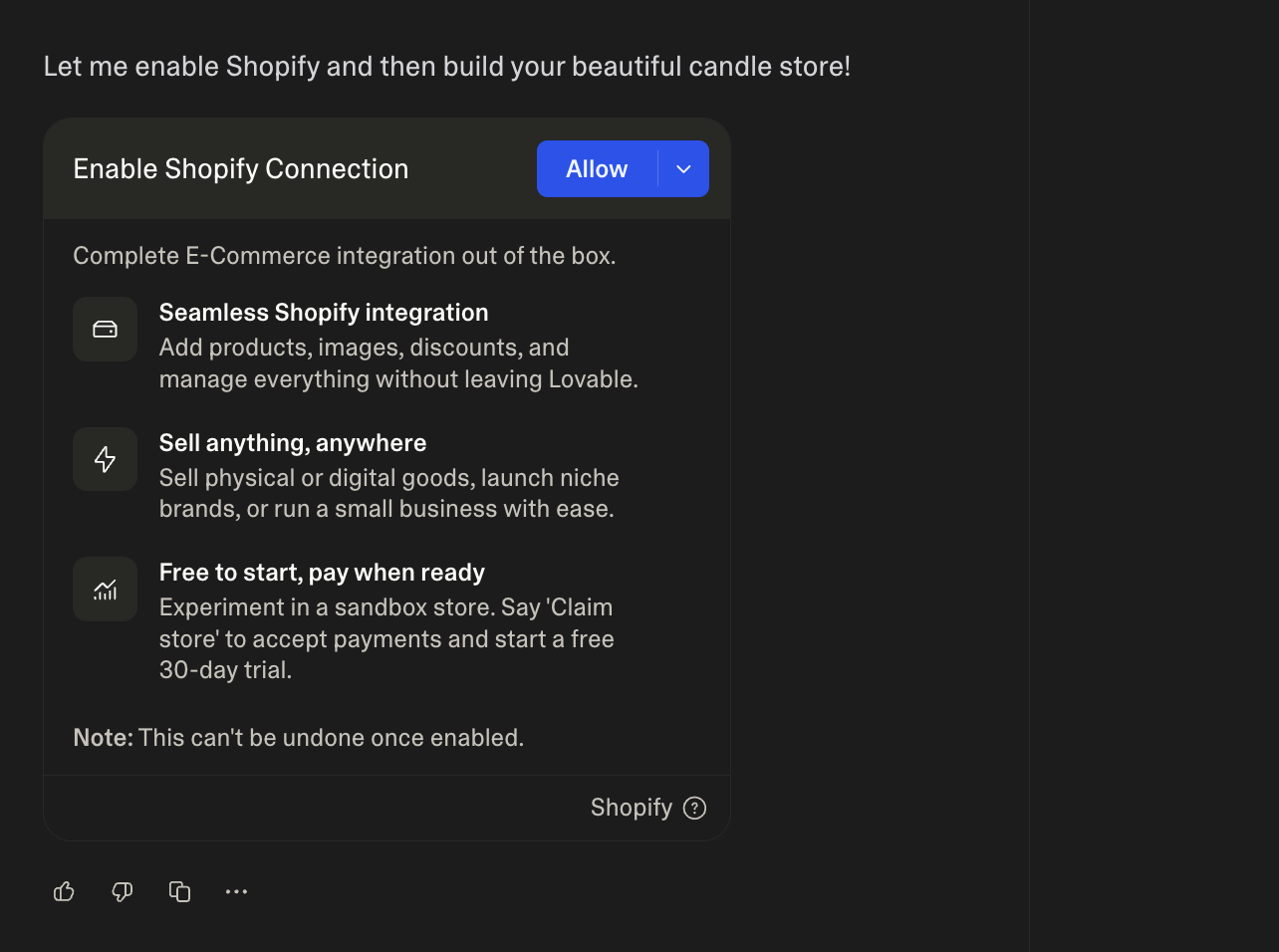
When you send this prompt, Lovable will ask you to enable the Shopify connection—click Allow.
Remixing an existing template
If you're starting from a template, be comprehensive about replacing mock data:
This ensures Lovable removes all placeholder content and properly wires up Shopify functionality.
Step 2: Add Products with Detail
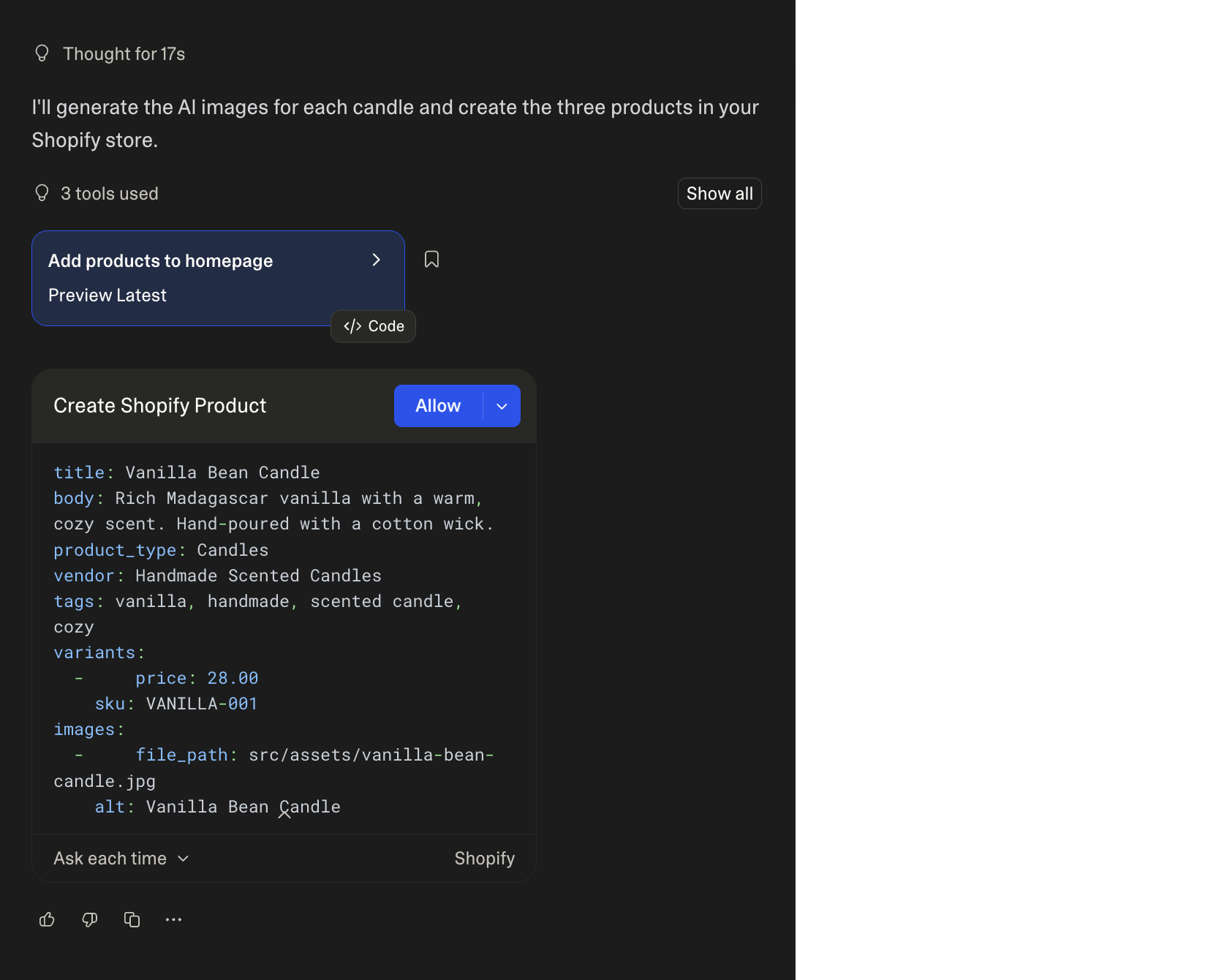
Now it's time to populate your store. Be specific about each product's details.
For multiple products at once:
Product images
You have multiple options for product images:
AI-generated images (fastest for prototyping):
Upload your own images:
Then attach the image file.
Images from URL:
Step 3: Add eCommerce Features
Now enhance your store with features that drive conversions and improve user experience.
Product filtering and collections
Product reviews (verified purchases only)
Discount codes
Wishlist functionality
Step 4: Managing Your Store
You can update products and manage inventory directly through prompts:
This is powerful for quick updates, seasonal changes, or testing different pricing strategies.
Step 5: Claim and Launch Your Store
When you're ready to go live, here's the process:
Claim your store
Lovable will prompt you to claim it. Click Claim, which opens Shopify in a new tab. You'll need to:
- Log in to Shopify (or create an account)
- Accept the claim invitation
- Complete Shopify's KYC verification process
- Set up payment processing
This starts your 30-day free Shopify trial. After that, you'll need a paid Shopify plan to continue selling.
Publish your store
Once claimed and set up in Shopify:
- Go to Shopify Admin to activate payments
- Review your store settings and shipping options
- Publish your Lovable project
- Share your store URL with customers!
Your store will be live at your
domain, or you can connect a custom domain.Managing Products After Launch
Even after claiming your store, you can continue managing it from Lovable:
Everything syncs with your live Shopify store automatically.
Pro Tips for Vibecoding eCommerce
Start simple: Get your core products and checkout flow working before adding advanced features.
Use AI images for prototyping: Generate product images quickly, then replace with professional photos later.
Be specific with descriptions: Better product descriptions = better SEO and conversions.
Test the checkout: Before launching, go through the entire purchase flow to ensure everything works.
Think mobile-first: Most eCommerce traffic is mobile—make sure your prompts include mobile considerations.
What You Can Build
The Lovable + Shopify integration is perfect for:
- Physical products: Clothing, accessories, gadgets, home goods
- Digital products: eBooks, courses, templates, music
- Niche brands: Limited-edition drops, local products, curated collections
- Small businesses: Bakeries, coffee shops, craft businesses accepting online orders
- Testing product ideas: Launch quickly to validate demand before scaling
- Seasonal campaigns: Holiday collections, flash sales, special promotions
Final Thoughts
Vibecoding with Lovable transforms eCommerce development from a technical challenge into a creative conversation. You can go from idea to live store in hours instead of weeks, all while maintaining full control over design and functionality.
The key is being specific with your prompts: clearly describe your products, design preferences, and desired features. The AI handles the technical implementation, Shopify handles payments and logistics, and you focus on building a business.
Start simple, iterate quickly, and launch confidently. That's the power of vibecoding eCommerce with Lovable + Shopify.
Happy selling!